
Seamless Shipping
Fast, reliable delivery with Real-time tracking and updates
Moorah Register provides new users with a straightforward way to sign up for an account. Complete the registration form with your nickname, country, phone number and required personal details, verify your phone number using an OTP, and enter a Referral Code if you have one.
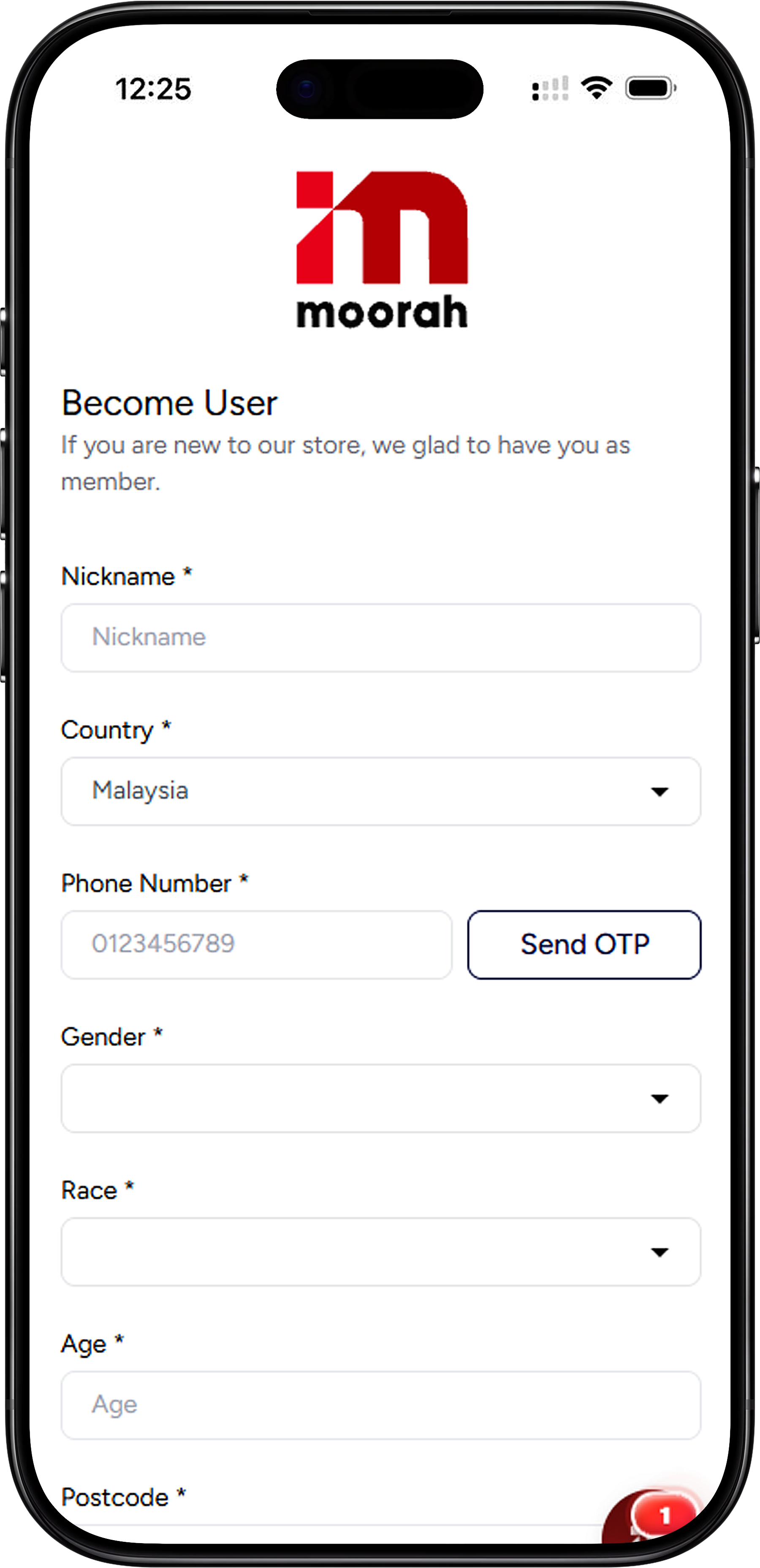
Follow the registration steps below to provide the required account information and verify your phone number before creating your Moorah account.
Start the Moorah Register process by entering the nickname you want to use for your account in the Nickname field.
Check the Country field and select the applicable country from the available options.
Provide your phone number in the Phone Number field. Make sure the number is entered correctly because it is used for OTP verification during Sign Up.
Select Send OTP after entering your phone number. Use the OTP sent to your phone to complete the required phone verification process.
Fill in the remaining required registration fields, including Gender, Race, Age and Postcode. Review the information before proceeding.
If you have a Moorah Referral Code, enter it in the Referral Code field. The field is presented separately from the required registration details.
After completing the required fields and phone verification, review your details and select Register to submit your Sign Up information.
The registration form requests several details to create a new user account. Understanding what is required before starting can make the Sign Up process easier to complete.
You will need to provide a nickname, select your country and enter a phone number. Your phone number is also used for the OTP step shown during registration.
The form also includes required fields for Gender, Race, Age and Postcode. Fields marked with an asterisk (*) must be completed as part of the registration form.
The Referral Code field does not display an asterisk on the registration form. If you have a code, you can enter it before submitting your registration.
Moorah Register includes a dedicated Referral Code field for users who already have a code when signing up. It appears near the end of the registration form before the Register button.
Enter your code in the Referral Code field after completing the required registration details. Check that the code has been entered correctly before selecting Register.
The registration screen marks required fields with an asterisk (*), while the Referral Code field is shown without one. This indicates that the Referral Code is not presented as a required field on the registration form.
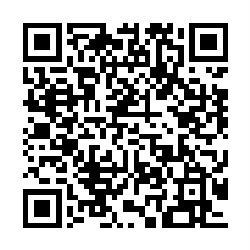
A Moorah Register QR Code provides a convenient way to access the registration destination from a compatible mobile device. Scan the QR Code with your phone camera or supported QR scanner and follow the link shown on your device.
Open your phone camera or QR scanner and point it at the Moorah QR Code. Once the registration link is detected, open it and continue with the Moorah Register process on your device.
Once you have submitted the Moorah Register form, follow the instructions presented by the platform. Existing users do not need to create another account and can use the Sign In option displayed below the registration form.
Select Sign In if you already have a Moorah account. This takes you away from the new-user registration process so you can proceed with your existing account instead.
Moorah Register is the account Sign Up process for new users. The form collects the required account and user details and includes phone verification through OTP.
The registration form requests a nickname, country, phone number, Gender, Race, Age and Postcode. A separate Referral Code field is also available.
Yes. The registration screen provides a Send OTP option beside the Phone Number field, allowing the phone number to be verified as part of the Sign Up process.
The Referral Code field is displayed without the asterisk used to identify required fields on the registration form. You can enter a Referral Code if you have one.
Yes. Scan the provided QR Code with a compatible phone camera or QR scanner, then open the detected link to access the registration destination on your mobile device.
If you already have an account, use the Sign In link displayed beneath the Register button instead of completing another registration form.
Complete Moorah Register by entering the required details, verifying your phone number with OTP and adding a Referral Code if available.
Fast, reliable delivery with Real-time tracking and updates

Earn bonuses for every friend you invite

Win Jackpot by purchasing products

Get assistance on 8AM - 8PM daily